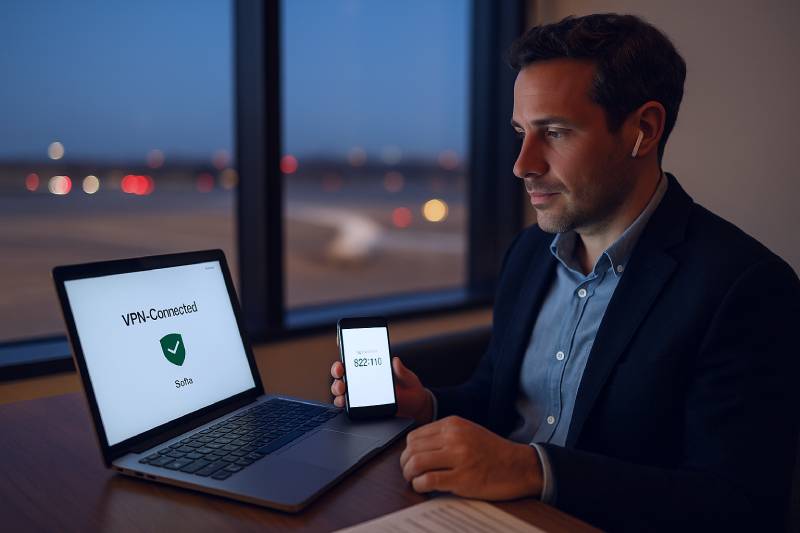

To manage your Bulgarian company remotely in 2026, use a qualified e-signature for filings, secure access via VPN or a locked-down remote desktop (not public Wi-Fi), keep bank roles with 2FA, and give your accountant controlled access so VAT, payroll, and yearly publications happen on time even when you travel.
Key Takeaways
Remote management tools for Bulgarian companies: the essentials
Remote management is not a stack of apps; it’s a way of working. You need (1) a legally valid way to sign and submit documents, (2) trusted access to government and bank portals, and (3) a clean workflow your accountant can run without chasing you. You can start company services through the Bulgarian e-Government portal, verify publications inside the Commercial Register, and follow EU cross-border rules via the European Commission. For taxes and VAT, your filings run through the National Revenue Agency; banking infrastructure and security sit under the Bulgarian National Bank.
Digital signatures in Bulgaria: which one to use and when
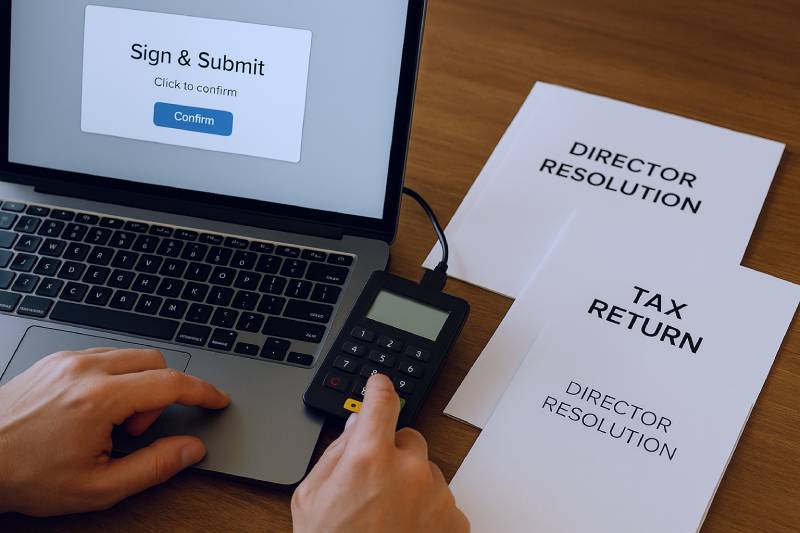
For remote work, your signature must be recognized across state portals and acceptable for corporate governance. A qualified e-signature (QES) meets the eIDAS standard and is what we recommend for directors and authorized users.
| Signature Type | Where It’s Accepted | Best For | Remote Readiness | Who Should Hold It |
|---|---|---|---|---|
| Qualified e-Signature (QES) | Government portals, banks, notarized e-documents | All official filings, board resolutions, tax returns | Excellent (token/smart card + PIN) | Director, backup director, trusted manager |
| Advanced e-Signature | Private contracts, some portals (case-by-case) | Vendor contracts, acknowledgments | Good (depends on provider) | Operations manager, project leads |
| Basic e-Signature | Low-risk acknowledgments | Internal approvals, receipt confirmations | Fair (email/OTP) | Team members |
VPNs, proxies, and remote desktops: which one should you trust?
Bulgarian portals and banks care about security and sometimes IP geolocation. A corporate VPN is the safest default for everyday access. Proxies help when you only need a Bulgarian exit IP (e.g., testing a payment form), but they’re not a full security solution. For heavy compliance work, a locked-down remote desktop (“jump box”) in a secure location is gold.
| Option | What It Does | Best For | Pros | Risks | Setup Time | Typical Cost / Month |
|---|---|---|---|---|---|---|
| Corporate VPN | Encrypted tunnel to a trusted server | Daily access to banks and portals | Secure; consistent IP; easy policies | Key loss/misuse if not managed | 1–3 hours | 10–20 € |
| Residential/Datacenter Proxy | Routes traffic via a specific IP | Geo-tests; IP-sensitive tasks | Quick; flexible IP locations | No encryption by default; fragile | 30–60 min | 5–30 € |
| Hardened Remote Desktop | Connect to a secure BG-based PC/VM | Filings, bank ops, document signing | Full control; audit trail; stable | Must patch and monitor | 2–6 hours | 15–40 € |
Entity types and remote operations: EOOD, OOD, EAD, AD
Your legal form defines who signs and how approvals flow. EOOD (one owner) is the simplest for remote work. OOD (multi-owner LTD) needs partner resolutions. JSCs (EAD/AD) add boards and often audits. You can transform later as you grow, but plan governance early to avoid last-minute signature hunts.
| Entity | Approvals/Signatures | Audit Likelihood | Remote Complexity | Notes |
|---|---|---|---|---|
| EOOD | Director/owner signs | Low until thresholds | Low | Fast decisions; simple QES setup |
| OOD (LTD) | Partners’ minutes + director | Medium with scale | Medium | Template resolutions save time |
| EAD | Board + sole shareholder | Higher | Medium-High | Board calendars are critical |
| AD | General meeting + boards | High | High | Audit trail and segregation of duties |
| Branch | Per parent; local representative | Depends on activity | Medium | Mirror parent’s rules locally |
| Representative Office | Admin only (no sales) | Low | Low | No invoicing allowed |
Address, bank account, and KYC when you’re not in Bulgaria
You must keep a valid registered seat and an address for service. For banking, prepare UBO/KYC packs, a clear activity summary, and your website or deck. After activation, assign roles (preparer vs approver) and enable 2FA. This matches banking security patterns overseen by the Bulgarian National Bank.
| Step | What the Bank/Portal Checks | What You Prepare | Remote Tip |
|---|---|---|---|
| KYC pre-screen | UBOs, activity, sanctions | IDs, articles, seat contract | Use a secure doc vault; share read-only |
| Activation | Operator roles, limits | User list, limits, approval matrix | One prepares, one approves |
| Day-to-day | Consistent access pattern | VPN/RDP, QES token, OTP device | Log from the same IP range |
Your monthly routine: taxes, payroll, and yearly obligations
Remote does not change the law. You still need VAT (if registered), payroll filings (if you employ), and annual financial statements with publication. The easiest way to stay safe is to automate the monthly flow and keep a calendar for quarter-close and year-end. For the full checklist of what happens after the year closes, read our guide to yearly compliance for Bulgarian companies.
| Period | Owner/Director | Accountant | Outcome |
|---|---|---|---|
| Monthly | Approve payments; upload receipts | Reconcile; VAT/VIES (if registered) | Clean books, no surprises |
| Quarterly | Review provisions & inventory | Adjustments; management report | Numbers match reality |
| Year-end | Sign AFS and resolutions | Close ledgers; publish AFS; CIT return | Compliance complete |
Security posture: simple controls that work from anywhere
A small set of controls covers most risks. Think “boring but strong”: 2FA, role separation, device hygiene, and backups. Use the table below to install these once and be done.
| Control | Why It Matters | How to Do It | Owner | Frequency |
|---|---|---|---|---|
| 2FA everywhere | Stops password theft | App tokens or keys for bank & portals | Director/IT | Once + quarterly review |
| Role separation | Reduces fraud mistakes | Preparer vs approver matrix | Director | Once + on change |
| Device hygiene | Blocks malware risks | OS updates, antivirus, disk encryption | Every user | Monthly |
| Backups | Recovers from loss | 3-2-1 rule; offsite copy | Accountant/IT | Weekly |
| Access reviews | Removes ex-staff access | Quarterly user audit | Director/IT | Quarterly |
Costs and timeline: realistic planning for 2026
Here’s a practical budget and timeline for a remote-first setup. The numbers are typical for small teams; adjust for your stack and volume.
| Item | One-Time | Monthly | Notes |
|---|---|---|---|
| Qualified e-signature (token) | 50–150 € | 0–5 € | Per director/authorized person |
| VPN or secure remote desktop | 0–50 € | 10–40 € | Choose one primary method |
| Document vault & backups | 0–50 € | 5–20 € | Versioning turned on |
| Accounting + payroll service | — | 60–250 € | Volume and payroll driven |
| Contingency | — | 20–50 € | Audits, extra users, upgrades |
| Phase | Duration | What You Do | What Your Accountant Does | Result |
|---|---|---|---|---|
| Week 1 | 2–5 days | Obtain QES; choose VPN/RDP; list users | Provision roles; draft approval matrix | Secure access in place |
| Week 2 | 3–5 days | Connect bank feeds; test portal logins | Reconcile pilot month; fix gaps | End-to-end flow proven |
| Week 3+ | Ongoing | Run monthly routine; sign on time | File VAT/payroll; prepare AFS later | Reliable compliance cadence |
How “remote” fits with formation, capital, and growth
If you’re still preparing to open in Bulgaria, remote-first thinking saves time right from the start. Start at company registration bulgaria for a fast overview, then compare the reasons why Bulgaria is the best choice for your company formation. When you’re ready, follow how to register your company in Bulgaria in six steps, price your plan via how much it costs to set up a company in Bulgaria, and if you want a done-for-you monthly routine, meet our accounting services firm in Bulgaria. If you already operate abroad most of the year, also see how to manage your Bulgarian company from abroad without flying back for signatures.
Book a free 30-minute consultation
Need a hands-on plan for 2026? Book your free consultation. We’ll map your QES setup, access method (VPN vs RDP), banking roles, and a monthly compliance schedule you can run from anywhere.
Frequently Asked Questions
Do I really need a qualified e-signature to manage everything remotely?
Yes, to manage everything remotely you need a qualified e-signature because it is the standard that Bulgarian government portals and many banks recognize for official filings and approvals.
Can I use a proxy instead of a VPN for government and bank portals?
No, to access government and bank portals reliably you should not rely on a proxy because a proxy does not add encryption or stable identity the way a corporate VPN or hardened remote desktop does.
Is an EOOD easier to manage remotely than an OOD or AD?
Yes, to manage remotely an EOOD is easier because one director approves filings alone, while an OOD or AD usually requires partner or board resolutions before you can sign.
Can my accountant make payments if I give them full bank access?
No, to stay safe you should not give full bank access to your accountant; instead, let them prepare payments with read-only or preparer rights and keep final approval with a director using 2FA.
Will remote management change my VAT or tax obligations?
No, to comply with VAT and tax, remote management does not change your obligations; you still file on the normal schedule and keep records ready for publication and audits.